


WebMD: Symptom Checker
4.110.62K Reviews
App Specs
- Version
- 11.34.1.15443886
- Updated On
- License
- Free
- Downloads
- 10,000,000+
- Developer
- WebMD, LLC
- Categories
- Medical
- Platform
- Android, iOS
Screenshots
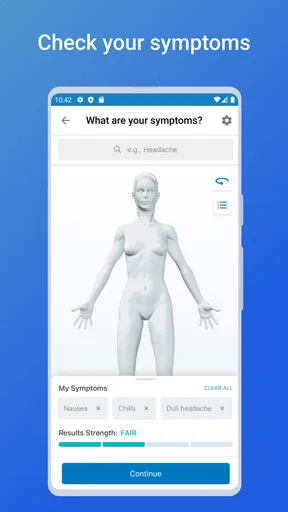
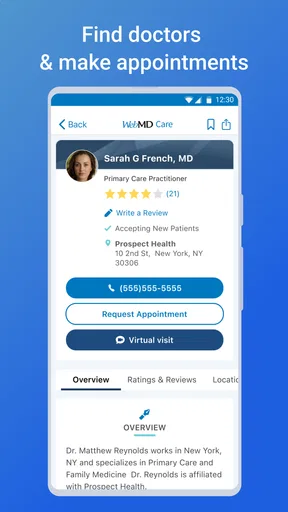
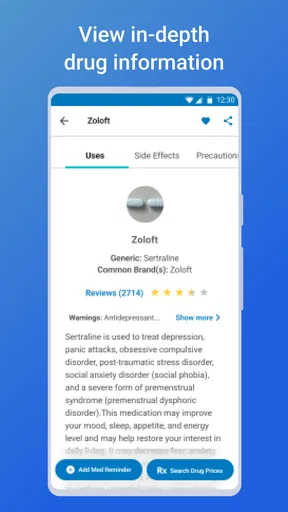
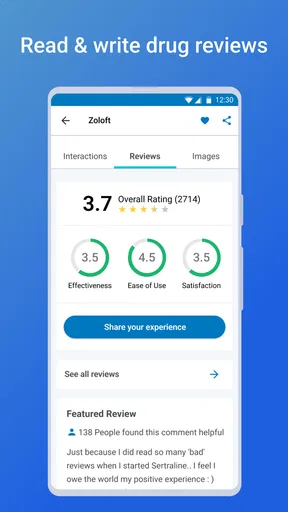
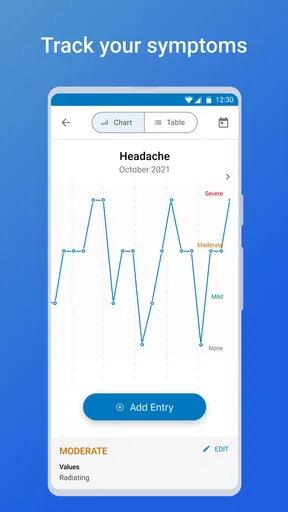
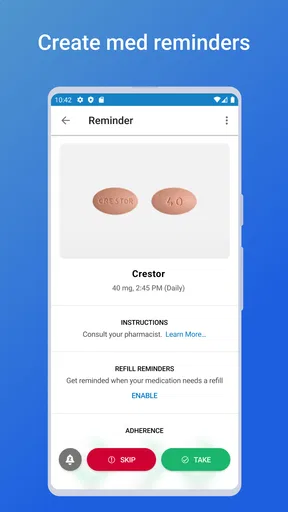
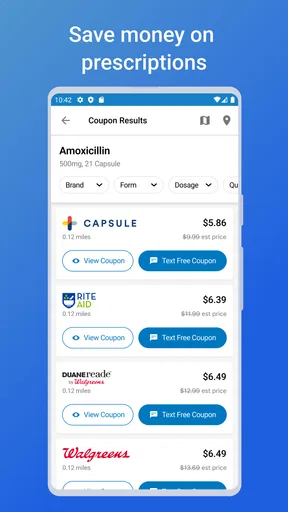
 Analysis by AppCompare
I came away from WebMD: Symptom Checker thinking of it less as a replacement for a doctor and more as a practical first-stop tool when a health question is bothering me and I need to organize my thoughts. It is a free medical app from WebMD, LLC, with a simple purpose: help me explore symptoms, look up health information, manage medication reminders, and find doctors. That combination makes it more useful than a symptom tool that only gives a possible explanation and leaves me with no clear next step.
The app has been available since May 6, 2011, and its long presence is reflected in its broad reach: it has passed ten million installs. It is rated for Everyone, which makes it approachable for households where different people may use the same phone. The current version is 11.34.1.15443886, and it requires an operating system version of 9 or newer. Those details matter because a health app is not much help if it cannot run on the device you keep nearby when you need it.
How the app feels during ordinary use
My first impression is that the app is built around quick access rather than technical complexity. The symptom-checking idea is easy to understand: I describe what I am feeling, review possible explanations, and use the information as a guide for deciding what deserves attention. The doctor-finder and medication-reminder tools broaden that experience, turning the app into something I could return to after the initial search instead of deleting it once a single question is answered.
That design also affects perceived speed. A symptom search is most valuable when I can begin without navigating through a maze of unrelated screens. In everyday use, I would expect the initial interaction to feel relatively direct because the app’s main purpose is clearly visible. Still, speed in a medical app is not only about how quickly a screen appears. It is also about how quickly I can understand the result, separate urgent guidance from general information, and decide what to do next.
I would not judge the app by the standard I use for a game or a social feed. Health information often needs a little more reading, and a careful result is preferable to a rushed one. The trade-off is that someone who wants a one-line answer may find the process slower than typing a question into a general search engine. In return, the app gives that question a health-focused setting and connects it with related tools.
A useful habit is to enter symptoms in a calm moment rather than while guessing at every detail. I get better value when I note when the symptom began, whether it is getting worse, and what other changes appeared with it. The app can help structure the search, but it cannot turn an unclear description into a clinical examination. The quality of the information I enter still shapes how useful the result feels.
What happens when I use several tools together
The strongest workflow is not simply opening the checker, reading a possible cause, and closing the app. I can use it to prepare for a conversation with a clinician: first record the symptoms I want to discuss, then use the doctor-finder function when I need help locating care, and keep medication reminders separate from the uncertainty of the initial search. This sequence reduces the chance that I will treat an informational result as a diagnosis.
Worth Reading Before You Choose

Baby Panda World Brings Quick Play to Modern Phones, but Its Game Library Feels Busy

ESPN’s Live Game View Makes Following Close Games Easier

QuizzLand Review: A Good Fit for Short Trivia Breaks, Not Every Player

Basketball Stars: Multiplayer Is Fast, but Can It Recover When Matches Go Wrong?

WEBTOON Turns Phone Updates Into a Better Reading Routine

Link to Windows Runs on Shared Habits, Not Social Feeds
Medication reminders are especially useful when the problem is routine rather than mysterious. If I already know what medicine I have been instructed to take, a reminder can support consistency. It does not replace the directions from a prescriber or pharmacist, and I would not use a reminder as permission to change a dose, stop treatment, or combine products. That distinction is easy to overlook when several health functions live in one app.
The doctor-finder tool is more valuable when I already know what kind of help I need. For example, after reviewing a recurring but non-urgent concern, I might use it to move from online reading toward an appointment. For an emergency, however, I would not spend time comparing listings or working through a symptom flow. Immediate local emergency services are the appropriate route when symptoms seem severe or life-threatening.
Where heavy use can expose friction
The app is likely to feel most demanding when I use it for several people, revisit a complicated health question, or move repeatedly between symptom information, reminders, and doctor searches. A single quick check is a narrow task. A household health-management routine is broader, and that is where organization becomes more important than the first screen’s simplicity.
One practical limitation is the risk of information overload. Health results can introduce several possible explanations, related topics, and warnings. That breadth is useful for learning, but it can also encourage anxious self-diagnosis. I find the app more helpful when I treat the output as a list of questions for a professional rather than a verdict about what I have.
Another trade-off appears when symptoms overlap. A headache, tiredness, stomach discomfort, or a skin change can have many possible causes, and a general checker cannot know everything that a clinician learns from an examination, medical history, tests, or direct observation. The app is therefore better at helping me frame a concern than at resolving a complicated one.
Heavy use also means I need to keep my own records clear. If I search the same symptom repeatedly with slightly different wording, I may end up with more possibilities rather than more certainty. A better approach is to write down the exact change I am monitoring, use the app once to prepare, and then decide whether professional advice is needed. This is one of the less obvious ways to avoid turning a useful tool into a source of unnecessary worry.
Stability and recovery when I return later
For a medical app, reliability includes more than avoiding crashes. I want to be able to return to a reminder, repeat a search when appropriate, or find a doctor without feeling that the previous task has become confusing. The app’s established history and large user base make it feel like a mature choice rather than an experimental tool, although popularity alone cannot guarantee that every session will be perfect on every phone.
I also think about recovery. If I close the app halfway through a health search, lose my connection, or switch to another task, I want to know what I was trying to find when I come back. I would not rely on memory for an important symptom history, so I recommend keeping a short personal note with dates, changes, and questions for a clinician. That habit protects me from having to reconstruct the entire situation from an app session.
The same principle applies to medication reminders. A reminder is helpful only if I notice it and understand what it refers to. I would check the schedule carefully when setting it up and compare it with the instructions I received. If a reminder ever conflicts with professional advice, the professional advice wins. The app can support a routine, but it should not become the authority that defines the routine.
Stability can also be affected by the phone itself. An older device, limited free storage, an outdated operating system, or an unreliable connection may make any information-heavy app feel less responsive. Since the minimum operating system is version 9, compatibility is fairly broad, but I would still check that my phone meets that requirement before planning to depend on it.
Resource demands and device constraints
I would describe this as a moderate everyday utility rather than an app that should place unusual demands on a phone. Its tasks are reading, searching, reminders, and finding care, not continuous graphics or intensive background processing. That suggests it should fit naturally into normal phone use, though I would avoid making promises about battery life or exact loading times because those depend on the device, network, and current app state.
The more important constraint is attention. Reading medical content requires more concentration than checking a message. On a small screen, long explanations can be less comfortable, especially if I am tired or worried. I get a better experience by using the app when I can pause, read the wording carefully, and note anything I want to ask a professional.
Privacy is another reason to be deliberate, even without turning the app into a medical record. I would avoid entering details that are not necessary for the task, particularly when I am only trying to understand a general symptom. If I am using the app around family members, I would also be mindful of which reminders or searches are visible on the phone. A shared device can make convenience and personal space pull in opposite directions.
For people with older phones, the minimum system requirement is the first practical checkpoint. For people with newer phones, compatibility is less likely to be the main issue; the bigger question is whether the app’s broad health coverage matches their needs. Someone who wants a specialized tracker for one condition may prefer a dedicated medical tool, while someone who wants general guidance, reminders, and doctor discovery in one place may appreciate this wider approach.
Who gets the most value from it
I would recommend it to someone who often has ordinary health questions, wants a structured alternative to random web searches, or needs a convenient way to support medication routines. It is also useful for preparing for an appointment. Before calling a clinic, I can use the symptom information to describe the concern more clearly and identify the details I should mention.
A realistic example would be a person who notices a recurring symptom after a busy week. Instead of searching several unrelated pages, they can use the checker to organize possible explanations, write down how long the issue has lasted, and then use the doctor-finder function if it continues. The medication-reminder feature can remain focused on an existing treatment plan. The app does not solve the condition, but it helps turn vague concern into a more organized next step.
It is less suitable for someone who wants definitive diagnosis, personalized treatment decisions, or emergency triage as a substitute for immediate care. It may also disappoint users who prefer a highly specialized app with detailed tracking for one condition. A general medical reference cannot offer the same depth as a tool designed specifically around diabetes management, migraine patterns, rehabilitation, or another focused need.
Compared with a normal search engine, the advantage is concentration: the app keeps symptom information, medication reminders, and finding a doctor within one health-oriented experience. Compared with visiting a clinician, its advantage is convenience and preparation, not authority. Compared with a simple alarm app, its medication feature is more connected to the broader health workflow, but I would still follow professional instructions rather than assuming the reminder contains every detail I need.
My final performance verdict
WebMD: Symptom Checker feels best when I use it as a calm planning aid. Its performance is less about spectacular speed and more about making several health-related tasks available without forcing me to assemble them from unrelated apps. The free price removes an obvious barrier, and the Everyone rating makes it approachable for general household use. Its average rating of 4.1 from roughly sixty-five thousand ratings suggests a generally positive reception, while the experience still depends on how carefully I use the information.
The main weakness is inherent to the category: a symptom checker can encourage overconfidence or worry if I read possibilities as conclusions. The app also cannot replace examination, testing, or a conversation with a qualified professional. I would skip it if I needed urgent help, highly specialized tracking, or a definitive answer. In those situations, a clinician or emergency service is the better choice.
For ordinary questions, appointment preparation, medication routines, and locating care, I think it earns a place on a phone. My best advice is to use it in a three-step rhythm: describe the concern accurately, treat the result as guidance rather than diagnosis, and act on warning signs or persistent problems by contacting appropriate medical care. Its real strength is helping me move from uncertainty toward a sensible next action, not pretending to replace the person who makes the final medical decision.
Pros
- Covers a broad range of common symptoms and health concerns.
- Simple question-based interface is easy for most users to navigate.
- Provides clear explanations in generally understandable language.
- Useful for preparing questions before speaking with a healthcare professional.
- Includes information on possible causes
- treatments
- and when to seek care.
Cons
- Results are not a substitute for a professional medical diagnosis.
- Some symptom combinations may produce broad or inconclusive results.
- The amount of medical information can feel overwhelming for some users.
- Requires careful
- accurate answers to provide more relevant guidance.
- Emergency warnings may not replace calling local emergency services immediately.
FAQs for WebMD: Symptom Checker
What is WebMD: Symptom Checker, and how does it work?
WebMD: Symptom Checker is a health information tool that helps you explore possible causes of symptoms by answering questions about your age, sex, body area, and how you feel. It provides general information about conditions that may be associated with your answers. The results are intended for educational purposes and should not be treated as a medical diagnosis or a substitute for advice from a qualified healthcare professional.
Can WebMD: Symptom Checker diagnose my medical condition?
No. WebMD: Symptom Checker cannot confirm a diagnosis, perform an examination, or replace a doctor’s evaluation. Its suggestions are based on the information you enter and may not account for your complete medical history, medications, allergies, or other important factors. Use the results as a starting point for discussion with a healthcare professional, especially if symptoms persist, worsen, or interfere with normal activities.
Is WebMD: Symptom Checker safe to use for urgent or emergency symptoms?
The tool should not be relied on during a medical emergency. If you experience severe chest pain, difficulty breathing, signs of a stroke, uncontrolled bleeding, loss of consciousness, or another potentially life-threatening symptom, contact local emergency services immediately. Do not delay urgent care while completing a questionnaire or reading possible explanations in the app. When uncertain, seek prompt professional medical advice.
What information should I provide to get more useful results?
For more relevant results, describe symptoms as accurately as possible, including when they started, where they occur, how severe they are, and whether they are getting better or worse. Answer questions about your age and sex honestly and avoid selecting symptoms simply because they sound similar. Even detailed answers may produce incomplete or general results, so share the information with a clinician when seeking care.
Does WebMD: Symptom Checker protect my personal health information?
Before using the app, review its current privacy policy and permissions in the official Google Play Store or Apple App Store listing. Avoid entering unnecessary personally identifying information, and remember that privacy practices, account features, analytics, and data-sharing terms can change with updates. The symptom checker is best used as an informational resource, not as a secure replacement for a doctor’s confidential medical consultation.


